Graphics
2D Graphics Styles
Global Defaults
Default styles for 2D graphics and graphics text are set from the Technology Menu > Set Text Style command. The values set here are the global defaults applied to newly placed graphics in the current layout.
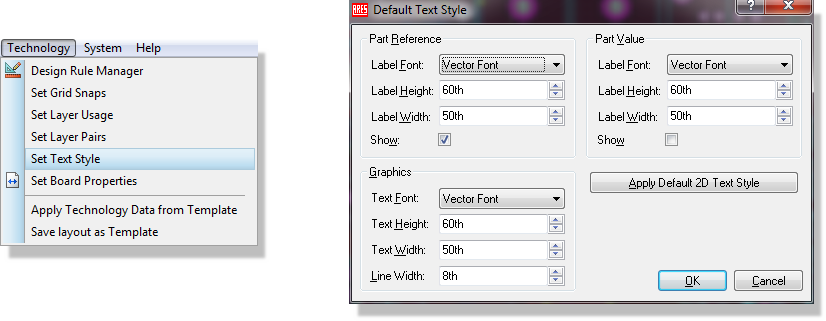
Setting the default 2D graphic and text styles
Changes to these settings are local to the current layout unless you save the current layout as a Template. In that case the technology information is stored in the Template file and can be re-used, either by initialising a new layout from the template or by applying the technology data to an existing layout from the Technology Menu.
Individual Configuration
Any placed graphic can be edited in the normal way: right click to highlight it, then left click to open its editing dialogue. Each type of graphic has its own editor, so the fields presented depend on the object you are editing.
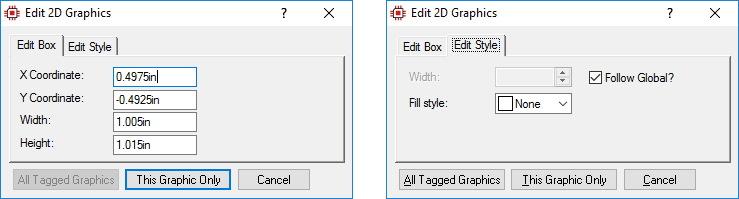
Editing the 2D graphics box style
Uncheck the Follow Global checkbox against a field to override the global default for that object alone, and use the All Tagged Objects button to apply your changes to every tagged object rather than only the one you clicked on. The individual fields on each graphic editor are described in the dialogue level help for that dialogue.
Placing 2D graphics is covered in Placing 2D Graphics, which describes each of the graphics placement modes.
See Also: