APPLYING TECHNOLOGY DATA
Overview
Technology data can only be saved as part of the template but it is sometimes useful to import only the technology information into another project. This allows you, for example, to re-use a set of design rules in multiple projects, regardless of the physical dimensions of the board.
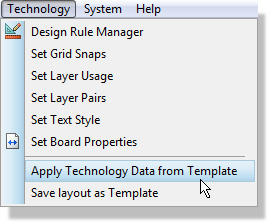
The Apply Technology Data from Template command is invoked from the Technology Menu.
Choosing the template to take the technology data from
Effects on Current Layout
An apply operation brings in the whole of the technology data block, not a selection from it. Most of it replaces what you already have, one part of it merges, and one part of it is left alone entirely.
Replaced outright
- The Layer Stackup and Drill Spans. If the current design already has a valid stackup you are warned first, with the message "Technology import will override the current layer stackup". This is the only part of the operation that stops to ask you anything.
- Grid Settings, Layer Pairs and Text Styles.
- Teardrop configuration.
- Length matching parameters, all three sets: normal, differential pair length and differential pair phase.
- Test point rules, including the default test point package.
- Differential pair classes.
- The default units. If the template was saved in metric and you work in imperial, the design's default changes with it.
- The default settings (neck and relief styles and tolerances).
- Feature thickness. Board thickness changes too, but as a consequence of the stackup being replaced rather than as a setting in its own right.
- A net class or design rule in the current layout that has an equivalent of the same name in the imported technology data is overwritten with the imported version.
Merged
- Pad styles and trace styles. Applying a template adds the template's styles to your design and updates the ones whose names match; it does not throw away styles the template does not know about. Wholesale replacement of the style list happens only when a complete layout file is loaded.
- A net class or design rule that has no equivalent in the imported technology data is left unchanged.
Untouched
- The work area. This is deliberate, since the current layout may well be larger than the board the template was built for, and it is also structural: the work area is stored in the file header rather than in the technology data block, so an apply operation cannot reach it.